
The Vertical Teaser
Step 1: Getting set up.
By the end of this video, you should understand:
Editing Setup: use a 1080 width x 1920 height, 23.976 fps timeline.
Purpose: The goal of this video is to get shares and followers on social media.
The Plan: We’re going to do this by sampling a funny story about the couple as well as featuring BOTH fun visuals from the wedding day and showcasing the other vendors (Venue, Planner, Florist, Photographer, DJ, Band, Content Creator…etc).
Where it’ll play: this 15(ish) second vertical video is for social media so let’s make it snappy:)
Step 2: Soundscape
By the end of this video, you should understand:
To use a funny story from the reception, ceremony, or private couple vows.
We are looking for funny first impressions of the bride/groom OR first date story.
Totally fine to use the same audio in the highlight.
If they had a band or live musician, feel free to use that audio instead.
Step 3: The hook
By the end of this video, you should understand:
Begin the video with: visuals + audio of the speaker
Part 4: Feature other vendors
What to look for when featuring other vendors.
Part 5: The End
After watching this video, you should understand:
End the video with:
a clip of the couple
their centered names “NAME + NAME”
then cross dissolve to the Whole Heart Video bumper.
Fonts and bumpers can be downloaded here.
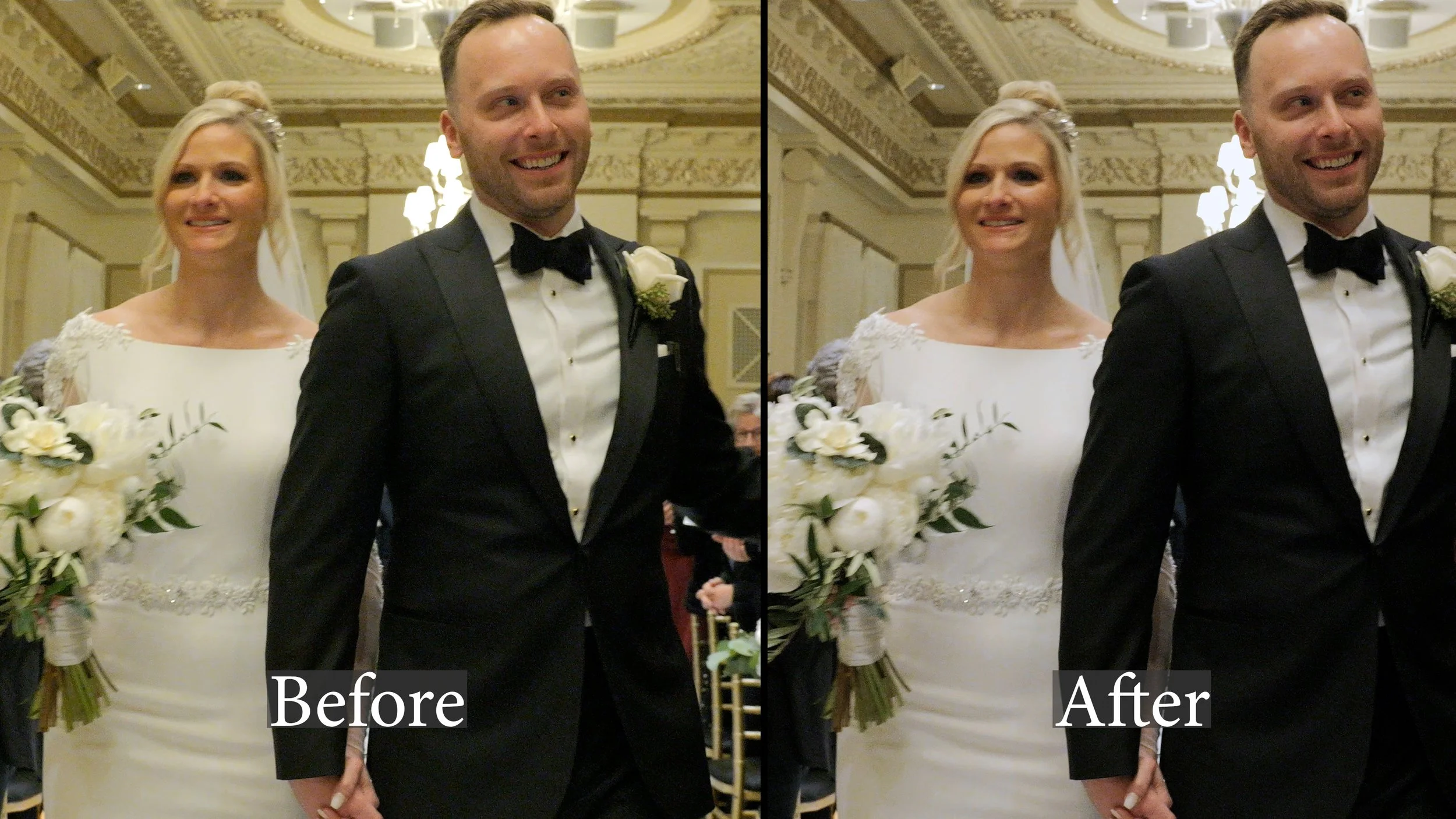
Part 7: Color Grading & Correction
Do not correct or grade the video clips themselves. Create 2 adjustment layers on the timeline above the video clips:
1st adjustment layer is for Correction- Usually here, I’m white balancing, adding or reducing saturation, adding contrast, and lowering shadows
2nd adjustment layer is for grading- Use the ANNA @ around 15-30% or custom Annagh6 LUT @ 100% (download here) Use your best judgement- Whatever looks best!


Step 8: Exporting & Notes
Export vertical teaser in 23.976 fps / mp4/ 1080×1920
Do not use downloaded transitions (jump cuts and opacity fades only)
No dips to black in any of the videos please.
Examples
BRIAN + EVELYN
The wedding videographer wasn’t able to capture any prep footage AND their wasn’t really any funny audio to use. The editor was still able to jumpcut to the beat, use clips of the bride laughing & make the edit emotionally engaging.
MARGOT + BRETT
This editor did a great job picking lively clips of the couple and started with a great origin story that made the audience laugh.
LIAM + ARNEL
This editor skipped step 3 but because they used such great audio and video clips, everything worked!